
Lightweight Low Power Arduino Library

We have just release the 1st revision of our low power library for Arduino. This is a simple and easy to use library that has the following features:
- Supports all sleeping mode of ATmega328P:
- Idle.
- ADC reduction mode.
- Power save.
- Power down.
- Standby.
- Extended standby.
- Selectable sleep duration:
- 15 ms, 30 ms, 60 ms, 120 ms, 250 ms, 500 ms, 1 s, 2 s, 4 s, 8 s, and forever (wake up using other resources) through on chip 125 kHz Watchdog timer. Using sleeping forever duration, the Watchdog timer module is not in use and will further reduce the current consumption by approximately 4 µA.
- Option to shutdown Analog to Digital Converter (ADC) module to further reduce current consumption.
- Option to disable Brownout Detector (BOD) module to further reduce current consumption by approximately 17 µA. BOD module cannot be disabled through software in idle and ADC noise reduction mode. It can only be disabled through fuse setting in these 2 modes.
- Option to shutdown Timer 2 module in idle, ADC noise reduction, power save, and extended standby mode. Timer 2 is used by the core of Arduino for PWM operation.
- Option to shutdown Timer 0, Timer 1, USART0, TWI, and SPI module in idle mode.
We didn’t add any wake up functionality except using the Watchdog timer module to allow certain amount of sleep duration as we think other wake up resources (interrupt on pins, TWI address match, ADC conversion complete, SPI serial transfer complete, EEPROM ready) are closely bind to the external peripheral or interface it is connected to. For example, an external RTC chip with it’s clock output pin connected to pin 2 of the Arduino board. In this case, the library should not know what this external interrupt signal means to the system (timer or counter for time stamping or other usage). Therefore, we omit them out (at least for now). But, rest assured examples are included (more will be added from time to time) to demonstrate the usage of the library with external peripheral and interface.
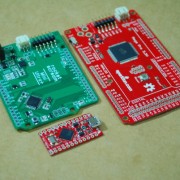
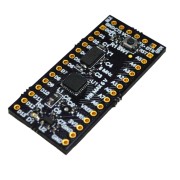
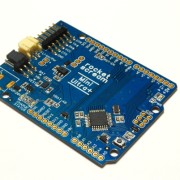
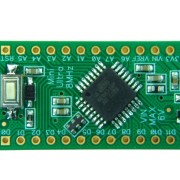
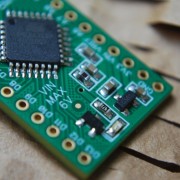
Please bear in mind that, most of the Arduino boards (official and also compatible) that is currently available in market (except some brilliant design from JeeLabs and Wiblocks, but there might be more out there that we are not aware of) are not low power by design. Low power design requires both hardware and software implementation. Our Mini Ultra 8 MHz (Arduino compatible) board is designed to be low power and is basically the testing platform for this library. Using the library on any Arduino boards (official or compatible) may and may not yield the best result.
Using our Mini Ultra 8 MHz (we are assembling an army of them right now using our reflow oven controller shield) and revision 1.0 of the library yields the following current consumption measurement result. The board is being powered by a Li-Ion 3.7 V battery running at 8 MHz with 3.3 V. The on board regulator of the Mini Ultra 8 MHz consumes about 1.6 µA of quiescent current.
| Mode | WDT | ADC | BOD | T2 | T1 | T0 | SPI | USART0 | TWI | Current |
|---|---|---|---|---|---|---|---|---|---|---|
|
Timer 1 & Timer 2 not in use Timer 2 not clock asynchronously from an external 32.768 kHz crystal (lower consumption can be further achieved) |
||||||||||
| Idle | On | On | On | On | On | On | On | On | On | 3648.0 µA |
| Idle | Off | On | On | On | On | On | On | On | On | 3643.0 µA |
| Idle | Off | Off | On | On | On | On | On | On | On | * |
| Idle | Off | Off | On | Off | On | On | On | On | On | * |
| Idle | Off | Off | On | Off | Off | On | On | On | On | 3618.0 µA |
| Idle | Off | Off | On | Off | Off | Off | On | On | On | 927.0 µA |
| Idle | Off | Off | On | Off | Off | Off | Off | On | On | 832.0 µA |
| Idle | Off | Off | On | Off | Off | Off | Off | Off | On | 789.0 µA |
| Idle | Off | Off | On | Off | Off | Off | Off | Off | Off | 687.0 µA |
| ADC Noise Reduction | On | On | On | On | – | – | – | – | – | 651.0 µA |
| ADC Noise Reduction | Off | On | On | On | – | – | – | – | – | 646.0 µA |
| ADC Noise Reduction | Off | Off | On | On | – | – | – | – | – | * |
| ADC Noise Reduction | Off | Off | On | Off | – | – | – | – | – | 584.0 µA |
| Power Down | Off | Off | Off | – | – | – | – | – | – | 1.7 µA |
| Power Down | Off | Off | On | – | – | – | – | – | – | 18.6 µA |
| Power Down | Off | On | On | – | – | – | – | – | – | 110.0 µA |
| Power Down | On | On | On | – | – | – | – | – | – | 113.9 µA |
| Power Save | Off | Off | Off | Off | – | – | – | – | – | 1.7 µA |
| Power Save | Off | Off | Off | On | – | – | – | – | – | 416.0 µA |
| Power Save | Off | Off | On | On | – | – | – | – | – | 435.0 µA |
| Power Save | Off | On | On | On | – | – | – | – | – | 527.0 µA |
| Power Save | On | On | On | On | – | – | – | – | – | 531.0 µA |
| Standby | Off | Off | Off | – | – | – | – | – | – | 201.7 µA |
| Standby | Off | Off | On | – | – | – | – | – | – | 218.5 µA |
| Standby | Off | On | On | – | – | – | – | – | – | 309.9 µA |
| Standby | On | On | On | – | – | – | – | – | – | 313.9 µA |
| Extended Standby | Off | Off | Off | Off | – | – | – | – | – | 202.2 µA |
| Extended Standby | Off | Off | Off | On | – | – | – | – | – | 416.0 µA |
| Extended Standby | Off | Off | On | On | – | – | – | – | – | 436.0 µA |
| Extended Standby | Off | On | On | On | – | – | – | – | – | 527.0 µA |
| Extended Standby | On | On | On | On | – | – | – | – | – | 531.0 µA |
In idle mode, the IO clock is available for general IO modules usage. Therefore, you need to pull any unused pins low in output mode to reduce the overall current consumption.
In power save mode, Timer 2 can be clocked asynchronously from an external 32.768 kHz crystal to achieve very low current consumption. However, this will require the removal of the external 8 MHz resonator (or crystal in other board variants) to facilitate the low frequency crystal. This will require the ATmega328 to run on its internal 8 MHz on chip RC oscillator in normal operation. But, this will affect time critical modules such as millis, PWM and higher baud rate USART communication as the accuracy of the on chip RC oscillator is limited and is affected pretty much by the operating voltage and temperature. We have some prototype work on running a 32.768 kHz crystal asynchronously which can be seen here.
Here’s a sample code snapshot on how to use the library.
#include "LowPower.h"

void setup()
{
    // No setup is required for this library
}

void loop()
{
    // Sleep for 8 s with ADC module and BOD module off
    LowPower.powerDown(SLEEP_8S, ADC_OFF, BOD_OFF);
    // Do something here
    // Example: read sensor, log data, transmit data
}
The library is available on our GitHub repository. Comments and opinions are greatly appreciated! We hope you find this library useful for your application. Take care and happy tinkering.






Is there a way to measure current consumption in software? Or do I need an external ammeter?
Hi Mike,
You can actually use another microcontroller to measure a voltage drop across a very small resistor placed at the input of the board. But it basically has to be a differential measurement ADC. Then, you can calculate the current and push into a PC or something similar. We use 2 meter in our case, one to measure the current and 1 to monitor the input voltage.
Very nice library… I’ve been using it with a few Whisper Nodes (https://talk2.wisen.com.au/product-talk2-whisper-node-avr/) I recently got and it’s very easy to use. Turning the whisper node radio and flash down, I can run few different sensors from a single AA or CR2032.
The only suggestion I would make is to have a way to update the “millis()” when coming back from sleep, so this way the program would have a rough idea of time. For example, if you use SLEEP_8S, add 8S to the global (extern) variable. I know the watchdog internal oscillator is not very precise, but it’s better than nothing…
Got a request to do that but I don’t think I would want to further complicate the library. This can be done easily by adding them outside of the library. Furthermore, some user might want the MCU to wake up either from watchdog timer or an external interrupt. Adding them would not be right in the case of external interrupt.
Hello,
I would like to put the Arduino to sleep with the command
LowPower.powerDown(SLEEP_8S, ADC_CONTROL_OFF, BOD_OFF);
However, I found out that since I have a sensor (TSL230) using an interrupt
the Arduino doesn’t go to sleep.
Is there a way to bypass the interrupt for sleeping?
Thanks for this useful library.
Frederic,
If I understand the TSL230 correctly, you wanted to use the TSL230 OUT pin to wake the Arduino? In that case instead of using SLEEP_8S as the argument, use SLEEP_FOREVER instead and configure the attachInterrupt on either pin 2 or 3 to wake the Arduino up.
In fact I am using the interrupt for reading frequency of the sensor. I would like to put the Arduino to sleep only with the timer SLEEP_8S; but when an interrupt occurs from the sensor (many time each second depending on lighting condition)the Arduino wakes-up (I tried both pin 2 and 3).
Is there a way to power down the Arduino only with timer 2 despite the interrupt being used?
The interrupt will definitely wake the Arduino up if the interrupt occurs within that 8s. But, you can go back to sleep after that interrupt happens in this case. If you can use a pin to indicate the sleep & awake sequence, you’ll probably be able to see the sleep & wake up sequence few times within a period of time. Timer 2 can be clocked asynchronously if driven by a low speed crystal attached to the oscillator pins in power save mode. But, that is totally a different thing. In power down mode, all clock to timer are disabled except the WDT.
Can someone draft a sample code that would put the device to sleep with a timer running for 15 minutes on low power but could also be woken up by an interrupt on pin 2 high (ie, external power is attached). why doesn’t the below work?
// **** INCLUDES *****
#include “LowPower.h”
// Use pin 2 as wake up pin
const int wakeUpPin = 2;
void wakeUp()
{
// Just a handler for the pin interrupt.
}
void setup()
{
// Configure wake up pin as input.
// This will consumes few uA of current.
pinMode(wakeUpPin, INPUT);
}
void loop()
{
// Allow wake up pin to trigger interrupt on low.
attachInterrupt(0, wakeUp, LOW);
// Enter power down state with ADC and BOD module disabled.
// Wake up when wake up pin is low.
LowPower.powerDown(SLEEP_900S, ADC_OFF, BOD_OFF);
// Disable external pin interrupt on wake up pin.
detachInterrupt(0);
// Do something here
// Example: Read sensor, data logging, data transmission.
}
Jory,
The maximum period you can insert is SLEEP_8S using the watchdog timer.
If you need to do something after 15 minutes periodically, you can use SLEEP_4S and wake up 225 times before executing the task you have in hand. The awake time to increment a counter (and check whether it is the 225’s time) will take pretty little time to execute.
Makes sense. If I need to use the 2 interrupts and the timer for the 4S what is the best option for saving power?
Also, do I need to detach the interrupts afterwards while I execute other functions during normal use? If so, (due to volitility) what is my best option for always being able to utilize the interrupts at any time?
Thanks
I’m getting an error using the library that BODS was not declared in the scope even though the h and cpp files are in the sketch folder.
Here is the code that I’m using in my sketch:
//int i is for loop decrement to have a 15 minute sleep (many 8 second sleeps) and if there is an interrupt then instead of decrementing the loop I want it to end the sleep cycling.
void wakeUp() //place to send the interrupts
{
int i=0;
}
void sleep()
{
// Allow wake up pins to trigger interrupt on change.
attachInterrupt(0, wakeUp, CHANGE); //Interrupt on pin 2 for any change in power plug
attachInterrupt(1, wakeUp, CHANGE); //Interrupt on pin 3 for any change in solar power
// Enter power down state with ADC and BOD module disabled.
// Wake up when wake up interrupts are triggered.
LowPower.powerDown(SLEEP_8S, ADC_OFF, BOD_OFF);
detachInterrupt(0);
detachInterrupt(1);
}
Jory,
Can you try installing the library in the Arduino library folder instead?
I am getting this same error when trying to use the library, it is in the correct location but it seems like a variable isn’t declared or something in the .cpp file. Also is this compatible with a mega2560?
If you are trying to compile them to work for either 32U4 or Mega2560, the library is yet to support both of that chip. But, we will support them in the future. We need some low power board to test them.
http://i.imgur.com/CGYAI.png
It is already in the arduino folder as well as the sketch folder
is there any way I can send you an email and I can send you the code i’m trying to run so you so can test it with your library. (using arduino 1.0 newest build) and a sparkfun pro micro leonardo microprocessor – http://www.sparkfun.com/products/10998
Does the UNO fully support this library? I tried it with (as I recall) success with a Duemilanove and saw a significant reduction in power consumption. Now I’m using an UNO but never using less than about 20 mA with LowPower.powerDown(SLEEP_8S, ADC_OFF, BOD_OFF);. Nothing more than a bare Arduino and code that switches back and forth between power off 8s and delay(8000). I seem to recall better results with the 2009. Any thoughts, or am I missing something major? Thanks.
It shouldn’t be any different actually. The only different I can from the Uno point of view is the bootloader (upload speed, Optiboot smaller boot size). But, I didn’t actually try on an bare Uno yet. Some guys tested it to work with the Pro Mini with Optiboot bootloader and it works fine. Maybe you can a look at the fuses as a start?
I am wondering if this library supports ATMega8 chips?
Ron,
Haven’t check it’s compatibility on other processor other than ATMega328P. Currently looking for Mega2560 & Mega32U4 boards that I can convert into low power boards and expand the library supported devices.
Hello,
using your library are causing Errors.
///MyCode///
#include “LowPower.h”
void setup()
{
// No setup is required for this library
}
void loop()
{
// Sleep for 8 s with ADC module and BOD module off
LowPower.powerDown(SLEEP_8S, ADC_OFF, BOD_OFF);
// Do something here
// Example: read sensor, log data, transmit data
}
///MyCode///
Errors:
LowPower.cpp: In member function ‘void LowPowerClass::powerDown(period_t, adc_t, bod_t)’:
LowPower.cpp:298: error: ‘BODS’ was not declared in this scope
LowPower.cpp:298: error: ‘BODSE’ was not declared in this scope
LowPower.cpp: In member function ‘void LowPowerClass::powerSave(period_t, adc_t, bod_t, timer2_t)’:
LowPower.cpp:379: error: ‘BODS’ was not declared in this scope
LowPower.cpp:379: error: ‘BODSE’ was not declared in this scope
LowPower.cpp: In member function ‘void LowPowerClass::powerStandby(period_t, adc_t, bod_t)’:
LowPower.cpp:439: error: ‘BODS’ was not declared in this scope
LowPower.cpp:439: error: ‘BODSE’ was not declared in this scope
LowPower.cpp: In member function ‘void LowPowerClass::powerExtStandby(period_t, adc_t, bod_t, timer2_t)’:
LowPower.cpp:512: error: ‘BODS’ was not declared in this scope
LowPower.cpp:512: error: ‘BODSE’ was not declared in this scope
Where is the problem?
Hi Peter,
I believe your are trying to compile for Mega2560 or a Mega32U4?
Both of the chip’s BOD cannot be controlled through software. So, they lacked of the BODS register & BODSE control bit. I’m currently working to support that 2 MCU. You need a fast workaround, drop us a mail from the website.
I’am using Arduino 0023 and Arduino FIO board. I always getting this error
powerDownWakePeriodic.cpp:2:22: error: LowPower.h: No such file or directory
powerDownWakePeriodic.cpp: In function ‘void loop()’:
powerDownWakePeriodic:11: error: ‘LowPower’ was not declared in this scope
powerDownWakePeriodic:11: error: ‘SLEEP_8S’ was not declared in this scope
powerDownWakePeriodic:11: error: ‘ADC_OFF’ was not declared in this scope
powerDownWakePeriodic:11: error: ‘BOD_OFF’ was not declared in this scope
The library is already put in Arduino libraries folder
Thanks
Did you rename the downloaded library (removing characters appended by GitHub) accordingly to “LowPower”?
If the example is accessible from the IDE, the library should be there as well.
Hi,
I try to use your library with a atmega168. After some errors I realised, that the BODS is not supported by that chip.
Is there a way to use your library anyway?
Regards
Sebastian
Hi Sebastian,
Yes, the BODS register is only available on Pico Power devices. If need help for that, drop us a mail. We have a subsequent beta version.
Hey guys, Thanks for releasing the library. It works great and it’s very easy to learn. Currently using it with a standalone ATMega328p running on a couple AA’s.
I’ve been successfully using the LowPower library on an Arduino Duemilanove with an ATMega328P. Having switched to the low power Olimexino-32U4, based around Leonardo architecture, the 32U4 will not support software BODS control (see above). Do you have a workaround/beta?
Hi Toby,
Check your inbox!
i’m currently working with an arduino leonardo and xbee and i’m trying to put the system to sleep. is it possible that you could also send me the beta/workaround, please. i didn’t find an update of the library on github yet.
Thanks in advance!
Christian
Christian,
Drop us a mail for beta of next version!
I’m also looking for the low power library for the arduino Leonardo, could you also send me the workaround.
Thanks in advance!
sincerely,
Jesse
Hi Lzyun,
Check your mail box. 🙂
Hello! I am currently working with an Arduino Mega 2560. Does the beta support that chip? I would appreciate a beta version, if possible. If not, I have to start from scratch and I really need a low power consumption library. Thank you very much 🙂
Hi Will,
Check your mailbox.
Admin, may I get the version of the lib for the Leonardo?
Thank you so much!
Hi Rafael,
ATMega32U4 is already supported for some time ago. But, please use with care with the USB connection on. See the all previous comments on this comment section.
Heck, sorry.. I missed this, I just commented out the BODS stuff and it worked fine. The Leonardo boards were switched out for Xino boards in the end. Thanks, T
May I also request support for the Atmega2560, or any beta code that you have developed for it so far? I would find great use for it! Can also report back on whether or not it works with the Mega.
Thanks!
Anders
Anders,
Check your mail!
Hi, im also working with arduino leonardo and i would like you to sende me some library or a test sketch try it, i was looking a lot on internet and this is the best post, but dont support leonardo, give me a hand xD
i wait ur answer
Alejandro,
Please check your mail. 🙂
Hi, can I use this lib with attiny45?
I haven’t actually try it out or look at the registers of Attiny45. There could be quite a number of peripheral not on the Attiny series. Expect some compilation error due to that.
The attiny series is screaming for a library like this considering their intended use in very low power applications. Hear them scream. Very sad.
Hi Winston,
Haven’t start working on ATTiny support yet but I will once I’m bit more free.
Hi,
I would like to apply this to an open source GPS tracker (http://dsscircuits.com/geogram-one.html)
Could someone help me out with this.
The shipped sketch is using the millis timer to send the GPS and GSM module to sleep (not the MCU) but it consumes too much power for what I would like to use it for (Long term tracking, say 6+ months, with a 6000mAh battery).
If I could get the Arduino chip to sleep also, that would make this device so much better!
Thanks
You need another wake-up source other than millis(). Depending on your required timing accuracy, the built-in watch-dog timer (although will drift a little across temperature) could be enough. Other than that, an external RTC can also be used to wake the processor up.
ok, thanks. Is there any way to “sync” with the GPS time to keep the timer drift to a minimum?
If I understand correctly, the watchdog timer sleeps the device after it has completed one loop of the code for upto 8 seconds, then completes another loop, sleeps for 8 seconds and so on. Is that correct?
Hey,
I’m playing with the ATMega32u4. Could I get a copy of the beta library that supports it?
I’ve tested with the Uno and the ATMega328P and it works great!
Colby,
Check your mail!
Hi,
Thanks for the nice product (Mini Ultra+) and the low-power library. Being new to sleep modes and energy optimization with MCUs, I could not figure out how to make the software RTC (RTClib in my case) to work with the sleep mode, is it just impossible or do I always need a hardware RTC (like DS1307)?
My example code is like that:
#include
#include “RTClib.h” // https://github.com/adafruit/RTClib
#include // https://github.com/rocketscream/Low-Power
RTC_Millis RTC;
void setup(void){
Serial.begin(115200);
Wire.begin();
// following line sets the RTC to the date & time this sketch was compiled
RTC.begin(DateTime(__DATE__, __TIME__));
}
void loop(){
// Sleep for x s with ADC module and BOD module off
// other options, see LowPower.cpp, e.g. 15 ms to FOREVER
LowPower.powerDown(SLEEP_1S, ADC_OFF, BOD_OFF); // ADC_CONTROL_OFF -> ADC_OFF
// Get the time using the “software RTC”
DateTime now = RTC.now();
// Print on the Serial Monitor / Console the time (debugging)
Serial.print(now.year(), DEC);
Serial.print(‘/’);
Serial.print(now.month(), DEC);
Serial.print(‘/’);
Serial.print(now.day(), DEC);
Serial.print(‘ ‘);
Serial.print(now.hour(), DEC);
Serial.print(‘:’);
Serial.print(now.minute(), DEC);
Serial.print(‘:’);
Serial.print(now.second(), DEC);
Serial.println();
// Integer that could be saved to the EEPROM
// Could be then converted to human-readable format when reading
// in the data in Python, Matlab, Java, whatever
Serial.print(” seconds since 1970: “);
Serial.println(now.unixtime());
delay(10);
}
And the output on Serial Monitor like that (the time increment in “real-world time” is now 1 second)
2013/4/18 12:52:25
seconds since 1970: 1366289545
2013/4/18 12:52:25
seconds since 1970: 1366289545
2013/4/18 12:52:25
seconds since 1970: 1366289545
2013/4/18 12:52:25
seconds since 1970: 1366289545
Thanks,
P
The millis() requires the IO clock to drive the Timer 0. During sleep, it is not available.
Another more accurate way of doing this is using an external 32.768 kHz crystal (but the processor has to run off the internal 8 MHz) to drive Timer 2 asynchronously during power save mode. Simpler method, would be using the external RTC like what you mentioned above.
Hi, nice library and it works perfect.
I have a question – is it possbile to wake up the arduiono by for example a key press?
Or does that has to happen when the sleep of 8 seconds is done?
Joakim
You could attach external interrupt (key press) and then power down (SLEEP_FOREVER). It will wake up upon the key press.
Ah ok – but I do want my arduino to check some status from time to time and then go to sleep to save my batteries. But if the user pushes a button I would like the arduino to do some stuff and then get back to sleep and start checking when it wakes from the sleep period. This is not possible is it?
Joakim
You can do that. By pushing it to power down mode with the sleep interval you desire. At the same time, attach the external interrupt.
In this case, your board could wake up on either of the source. To check the wake up source, use a semaphore flag in your external interrupt handler function and check it upon waking up.
Very great library !
Works perfectly with ATmega328P.
Don’t know if I can use it with Attiny85 chip…will try it later…
Thank you 😉
ATTiny series is not supported at the moment.
OK.
Do you plan to add support for it ?
I probably would but not too soon as I have other things in the queue at the moment. 🙂
Hi, I also am working with the Mega2560 (the ADK version) and would love to try out and beta test the code. I will be using this in a battery powered remote install and could really use some help taking down the power a bit. Thanks!
Hi Brendan,
The latest version on GitHub has support for Mega2560.
But, if you are using the official Mega2560 or ADK, I think the current consumption won’t be very low due to the design.
Hi, thanks so much for your quick reply. You’re right of course, the megas use a lot of power, so I ended up purchasing one of your minis and am overall very happy with it. However, I have a question about the low power function that might be more general.
I am using an LED screen with the controller, and when the atmega is sleeping, screen “dims” but does not completely blank (sort of a ghosting effect of the most recent screen). The screen is powered via a separate 5v supply that is enabled by the microcontroller (and is thus off) and I’m using the full .powerDown with interrupt.
I’m guessing (hoping?) that this is because the pins on the atmega are floating a bit and providing just enough current to power the screen ( which is why I’m at 40µA instead of the few without the LED). Any ideas on how to solve this? Should I set all the pins as input and change them back upon waking? I’m ripping my hair out on this one.
Hi Brendan,
You could usually set the pins to output low but it also depends on the pins on the other having a pull-up or not. You definitely don’t want to provide a low resistance path for the current to flow. The extra tens of uA could be one of the pins.
Other way would be using a transistor or MOSFET to completely cut-off the supply to your LCD.
So I am able to do the following:
run measurement and check some stuff
sleep some time
rune some other stuff
sleep some time
start from top again.
? I guess so.
Yes, it is something like that.
If I try:
#include “LowPower.h”
void setup()
{
Serial.begin(9600);
}
void loop()
{
LowPower.powerDown(SLEEP_8S, ADC_OFF, BOD_OFF);
Serial.println(“Ill go to sleep now for 8 seconds”);
//delay(100);
}
it won’t work unless i uncomment the delay part… because it does to sleep again before the Serial.print has completed … how to solve this?
You could use Serial.flush() after the Serial.println() instead of the delay().
That will ensure all characters are transmitted before going into power down mode.
Thanks for this helpful answer!
Too bad this was just an example to point on my problem in common.
Is there a way to make sure all tasks have been completed before entering sleep modes?
For example when I’m sending commands to an IC via SPI ?
The SPI.transfer() function returns when it’s completed unlike the Serial.print() function.
You have to ensure to all tasks are done before sleep.
Ah, great. I hope it would. Thanks for that hint!
Hi, I’m very new with the arduino, I work in a remote control based on nrf24l01 chip and I want to save batteries.
I have 10 inputs (Switchs) and I want to use the powerDownWakeExternalInterrupt example
I don’t know how to add more that one wake up pins (i need 10) on that example.
some one can help me.
I know maybe this it’s very simple but this are my firs experiment on electronics.
Thanks.
Hi Hugo,
You could use the PinChangeInt Library.
Ok, thanks.
I try with PinChangeInt Library without success.
It’s compatible LowPower Library with PinChangeInt Library?
Hugo,
I’m not sure how your sketch looks like. Drop us a mail.
It should work unless something simple is overlook like the pull-up for the pins.
After recheck my sketch it’s just some bas pin declaration and now it’s working fine.
Thanks.
Glad that it work. 🙂
Hi, i use this function to put my ATMEGA328 in idle mode:
LowPower.idle(SLEEP_8S, ADC_OFF, TIMER2_OFF, TIMER1_OFF, TIMER0_OFF,
SPI_OFF, USART0_ON, TWI_OFF);
But if i receive a serial command (Serial.read()) i want wake up my micro controller.
it is correct?
finally which are the differences between idle mode and power down mode?
Thanks.
Once you have enter into idle mode with the SLEEP_8S and USART0_ON parameters, you would either wake up due to the 8 s watchdog timeout or a character is received on the USART0. Once, you wake up, you should use Serial.read() to check whether there’s a valid character.
The main differences is obviously the amount of power consumed.
Check page 39 (Section 9.1) of the ATMega328P datasheet to see the differences.
Can someone help me to modify library to include support for ATMega644p and ATMEga1284p (they pretty much identical other than memory size)? According to Datshet they have only 2 timers and 2 USARTS.
In the example code of:
#include “LowPower.h”
void setup()
{
// No setup is required for this library
}
void loop()
{
// Sleep for 8 s with ADC module and BOD module off
LowPower.powerDown(SLEEP_250MS, ADC_OFF, BOD_OFF);
// Do something here
// Example: read sensor, log data, transmit data
}
Does the function LowPower.powerDown(SLEEP_250MS, ADC_OFF, BOD_OFF) just sleep for 250 MS and THEN everything that was powered down becomes available again to use? (e.g. ADC, etc.) until it hits LowPower.powerDown(SLEEP_250MS, ADC_OFF, BOD_OFF);
again?
Thanks!
Hi Anjian,
Yes. You are right.
Seems to be a problem on the UNO, I have two..
After uploading the powerDownWakePreiodic example to both the results are :-
1. Proper smdedition board gives approx 24mA
2. Non smd clone board gives approx 16mA
I was hoping for a more substantial saving was I optimistic?
Hi Gyln,
Arduino Uno design is not meant for power optimized application. Quite a number of components on the board is consuming some mA while doing nothing.
OK thanks, do you know if there are any other arduino boards similarly restricted?
Are you referring to those similar to Uno? I guess most boards out there are not optimized for low power consumption.
I was not really referring to UNO clones but the other boards listed here:-
http://arduino.cc/en/Main/Products
and which ones that don’t benefit from your library?
Thanks
If you are looking to go down all the way to uA range, I don’t think you could with any of the official boards (at least without some hacks and modification).
Thank you a lot for Low Power library and I was wondering if you a table or estimates of power savings possible using your Mini Ultra 8 MHz Plus which I am currently testing here and when measuring with a HP 34401A multimeter I cannot get average current lower than around ~8.7 mA (compared to ~12.8 mA with no sleep mode)
Am I doing something wrong, or is there just a different overhead from the Plus board?
This is my LowPower sample sketch
#include "LowPower.h"
int sensorPin = A0; // select the input pin
int sensorValue = 0; // variable to store the value coming from the sensor
void setup()
{
// No setup is required for this library
}
void loop()
{
// Enter power down state for 8 s with ADC and BOD module disabled
// LowPower.powerDown(SLEEP_4S, ADC_OFF, BOD_OFF);
// Do something here
// Example: Read sensor, data logging, data transmission.
sensorValue = analogRead(sensorPin);
}
And for without, I just commented the LowPower line
Best wishes,
Peter
Hi Peter,
I just tested the code, it should be around 40 uA when sleep using 4 s. The wake up duration to read the sensor is very tiny.
If I changed the sleep duration to 8 s, I can see the current goes down to 36 uA. This probably due to the meter’s response time.
I’m using a Li-Ion to power the battery in this setup.
If you are powering from the VEXT instead of the battery, then it should be few mA during sleep.
Excellent library! I’m have a 328P connected to a lipo through an LDO and it wakes on pushbutton to light an led. I’d like to have the light on forever until the same button is pressed again where it goes back to sleep. Do I need to set up the interrupt pin again in a while loop that waits for the button press and has the led lit?
See the reply below.
This may not be the best place to ask since I’ve modified the code but if you can help with my problem that toggles the LED from always on to deep sleep it would be great. I might be close. Right now the LED occasionally stays on but it takes quite a few presses. The deep sleep part works great.
#include “LowPower.h”
// Use pin 2 as wake up pin
const int wakeUpPin = 2;
int led = 13;
volatile int state = LOW;
void setup()
{
// Configure wake up pin as input.
pinMode(wakeUpPin, INPUT);
//digitalWrite(2, HIGH);
pinMode(led, OUTPUT);
}
void loop()
{
// Allow wake up pin to trigger interrupt on high.
attachInterrupt(0, toggle, HIGH); //note the High on my design
// Enter power down state with ADC and BOD module disabled.
// Wake up when wake up pin is high.
LowPower.powerDown(SLEEP_FOREVER, ADC_OFF, BOD_OFF);
// Disable external pin interrupt on wake up pin removed for it to work
// detachInterrupt(0);
}
void toggle()
{
if(state == LOW)
{
state = HIGH;
}
else
{
state = LOW;
}
digitalWrite(led, state);
}
Mike,
The reason, the LED occasionally stay on is because the processor is running way much faster than your finger is letting the button go.
So, the loop runs few times and by luck the LED turns on or off. Best is to set a semaphore flag in the “toggle” function and check this semaphore flag once you are awake and perform proper button debounce procedure to allow the button to be pressed correctly and let go before sleeping again.
Hi all,
I’m pretty new to all this, attempting to use a GSM shield, which draws a bit of power, on a Arduino Uno board.
My problem is that even at compile stage, with the most simple code examples, I get the error: ‘LowPower’ was not declared in this scope.
I have installed the library, added through the IDE under sketch.
Can anyone shed light on this please? Many thanks, Rors
Ignore the above, please:
After totally reinstalling the library files, it seems to be working, except its saying:
‘ADC_CONTROL_OFF’ was not declared in this scope
Any suggestions, please?
Thanks, Rors
Hi Rors,
When you download the library from GitHub, just make sure the folder name is only LowPower and not contained in another sub-folder.
Hi.
First Thank you for the library, it’s great!
I wanted to know, I’m using arduino mega 2560 and arduino pro micro 5v/16mhz. Are they supprorted?
Also, I need the mega to wake up once every couple of minutes, do some stuff and go back to sleep. I don’t have an intterupt on pin 2.
I thought of doing something like this:
for(int i=0; i<15; i++)
{
LowPower.powerDown(SLEEP_8S, ADC_OFF, BOD_OFF);
}
Is this possible?
It does comiple with the arduino mega selected.
Thank you
Hi Jerry,
That should work but not sure how much you would gain by running them on a Mega2560 & Pro Micro as both of them consumes quite a lot of current even during sleep due to the supporting circuitry on the board itself.
Hey, I’m also looking for the low power library for the arduino Leonardo, could you also send me the workaround too?
Thanks
The current version already supports ATMega32U4.
Hmm, then I guess I am doing something else wrong!
Thanks for the quick response.
If anyone has code where you push to wake from sleep to turn on a LED and then press the button again to turn off the led and go back to sleep it would be great. This would be a great idea for a single momentary power button.
Hey my board is Arduino Leonardo and I have bluetooth module connected to it. I’m trying to send data via bluetooth to my laptop. I have installed your library however, anytime that I upload a sketch (even you own example), after uploading, Windows gives me an error saying “The device (Leonardo) has malfunctioned and cannot be recognized”. Do I do anything wrong here? Here is my simple test code:
#include
void setup() {
Serial1.begin(9600);
}
void loop(){
LowPower.powerDown(SLEEP_500MS, ADC_OFF, BOD_OFF);
Serial1.println(“hullo”);
}
Hi Alireza,
Before a USB slave device goes to sleep, it needs to inform the host (PC) that it is going to sleep. I’m not sure how to do that yet through Arduino but several guys that used the library on 32U4 based boards ditches the USB interface from the application. In order to load new sketches, try to read the suggestion on this forum discussion.
Thank you for your reply. I tried the library on the Uno and it works just fine. However as I said I’m using the Leonardo. I put a 5 second delay in the setup and it solved the problem of Leonardo going unrecognized. But the problem now is that I cannot get the serial communication over Bluetooth or USB cable work anymore.
Well I got the serial communication working and everything is fine now. BUT since the microprocessor goes on and off, the current drawn from my 9V battery goes from ~12mA to ~50mA with the Bluetooth module connected and this current fluctuation itself causes the battery to drain quickly. This actually defeats the purpose of having a LOWPOWER library for my application. Do you have any recommendation regarding this by any chance?
Did you shut off the Bluetooth module? The current fluctuation indicates it is on. Just check whether it can be turned off through software or pin control and in worst case cutting off the power to it through a transistor or MOSFET.
I have an issue with this library and Arduino Micro (ATMega32U4).
When I call “LowPower.idle” arduino doesn’t wait for the specified amount of time and continues to execute the code immediately.
The test code is
void loop()
{
// ATmega32U4
LowPower.idle(SLEEP_8S, ADC_OFF, TIMER4_OFF, TIMER3_OFF, TIMER1_OFF,
TIMER0_OFF, SPI_OFF, USART1_OFF, TWI_OFF, USB_OFF);
Serial.println(“LOOP”);
}
What’s wrong?
Is there any code added in the setup area?
I can reproduce this behaviour when letting USB enabled, the USB interrupts occurring every odd milliseconds seem to wake up the MCU (also on ATmega32U4).
Also:
When using anything more than Idle, this seems to kill USB serial connection until you reset the device. The Atmel Spec gives specific steps you have to perform to temporarily disable the USB bus (this includes the sleep modes). But the library does not seem to implement this.
At the moment I can’t use the lib for scenarios that require a usb serial connection and use more than idle mode.
Had anybody more success with such a scenario and maybe can give pointers?
Hi Tyler,
I haven’t dig into this yet on the use with the USB attached. I think the USB interface needs to shutdown properly before going into sleep mode. But, I’m not sure whether this high level API is exposed to the Arduino user?
The procedure to suspend is described in the arduino datasheet:
Suspending the USB interface
• Clear Suspend Bit
• Freeze USB clock
• Disable PLL
• Be sure to have interrupts enable to exit sleep mode
• Make the MCU enter sleep mode
Resuming the USB interface
• Enable PLL
• Wait PLL lock
• Unfreeze USB clock
• Clear Resume information
It didn’t work for me though. The USB stack of the arduino may be interfering. I don’t know what stack they are using and whether the stack has a high level function for suspending the bus – this would be the easiest solution.
Without it, the sleep modes are pretty much useless for USB connected 32U4s.
The high level API is available as “USBDevice” – this seems to be the source.
The implementation seems to be very bare minimum …
https://github.com/arduino/Arduino/blob/3a8ad75bcef5932cfc81c4746a87ddbdbd7e6402/hardware/arduino/cores/arduino/USBCore.cpp
No detach, no suspend …
I think the API we need here is detach() which is not yet to be implemented.
Maybe we should propose this on the Arduino mailing list to get this implemented?
Example code for going into the modes after idle – and properly closing and reinitializing the bus:
Serial.println(“Staring”);
delay(100);
bitClear(USBCON, USBE);
bitClear(USBCON, OTGPADE);
LowPower.powerStandby(SLEEP_4S, ADC_OFF, BOD_OFF);
LowPower.powerStandby(SLEEP_4S, ADC_OFF, BOD_OFF);
USBDevice.attach();
delay(4000);
Should be easy enough for them to add the two lines. 😉
But it would be even greater if the could add real selective suspend support. This would make it possible to enter the lower sleep modes without doing a detach.
The catch: It would require support by the driver on the other side – the host has to initiate the suspend procedure. This could happen after some ms without data transfer or on explicit request.
This would also save power on the host – this would be a nice feature request.
You can try asking them in the Arduino mailing list. 🙂
I will take a look at this when time permits but it has to be done on the Arduino core itself in my opinion. Will also look into Dean Camera’s LUFA stack to see whether this is implemented.
I kinda figured it out:
-Anything more than Idle mode is incompatible with a live USB connection and would necessitate either performing a detach or receiving a suspend request from the host (this precluded powering the device by the bus)
-The usb driver of the arduino uses the SOFE interrupt, this occurs every millisecond for the control of the LEDs, this event will wake up the device from idle mode
You can override this (should be in the lib as “USB_SOFT_OFF” by doing:
bitClear(UDIEN,SOFE);
TXLED0;RXLED0;
LowPower.idle(SLEEP_250MS, ADC_OFF, TIMER4_OFF, TIMER3_OFF, TIMER1_OFF, TIMER0_OFF, SPI_OFF, USART1_OFF, TWI_OFF, USB_ON);
bitSet(UDIEN,SOFE);
Back in march a user posted the following. I am encountering the same issue.
hzdbyte says:
March 14, 2014 at 1:05 PM
I have an issue with this library and Arduino Micro (ATMega32U4).
When I call “LowPower.idle” arduino doesn’t wait for the specified amount of time and continues to execute the code immediately.
The function pretty much returns instantly no matter what the period is. PowerDown respects the time period and will remain sleeping for the full period.
Currently using:
* Version: 1.30
* Date: 22-05-2013
Rob,
That’s a correct behavior as in idle mode, the IO clock is still available and the Timer 0 running in the background for generating millis() will be generating the interrupt. So, as soon as the idle mode is called it would return in a fraction of a mili second. In power down mode, the IO clock is not available, so peripheral using it will not be running. Take a look at Table 9-1 is the ATMega328P datasheet as an example.
Ok, I understand the timer interrupts, but what then is the point of the idle mode accepting a time period if it wakes on the next millisecond? Or am I misusing the function?
I’m specifically looking for a mode that will allow PWM on LEDs to keep them lit while idling in some lower power state, hence why I didn’t initially disable timer0 (which is used by pins 3/11 for PWM on this hardware).
The millis() function is running under the Arduino core and forms the basic for quite number of things.
In power save mode, Timer 2 can be clocked asynchronously. Timer 2 can be used to generate PWM although not being used on the core.
But the clock source for Timer 2 in this case must be a low frequency 32.768kHz connected to the usual TOSC1 & TOSC2 pins where your high speed crystal would usually be connected to. That would mean your MCU will need to use the internal 8MHz oscillator (not that accurate for wide temperature operation but OK) as main clock. And you can choose whether the Timer 2 to interrupt or not. But, I personally haven’t try this out.
Rob, I agree, the library should be documented that when using the idle function Timer0 cannot be left on.
I will add a note on this on the next release.
Still don’t have the time to do a measurement for the whole ATtiny series.
I’ve previously used this library on a Rocket Scream board.
I have external interrupts that simply increment a counter.
When an interrupt is finished the processor reentered the PowerDown state and woke up as expected after the set delay.
I’m now using a 328P and I’m not getting the same behaviour. I’m not sure if it’s the library or a fuse setting.
As soon as an interrupt is complete the PowerDown state is exited.
Any suggestions?
Hi Sean,
It should wake up on either the external pin interrupt or sleep period expiry.
I would suggest using the external interrupt if you are using SLEEP_FOREVER option. At least you know it wakes up due to the external interrupt. It has nothing to do with the fuse setting.
Hi, congratulations for your work.
I’m doing a proyect about low power and i like to use arduino languaje, and your library its what i need.
I have some questions:
I know than the oficial board it is not valid, but what bootloader i need to use this library. the oficial one?
I thing i need to down the clock to 8 MHZ, but i want to program code with the official board, and then
when the code is ok, i want to pick off the micro and solder to my low power design. Can i do this?
Thank you very much, and sorry for my english
Hi Jonathan,
Any of the official bootloader would do. It doesn’t depend on the bootloader.
Ok, i though that the bootloader code config the micro with a frecuency oscilator, so if i use a bootloader for 20 Mhz i cant use a 8Mhz oscilator.
Thank you i try it. best regards
I am trying to use the LowPower library on a project.
My Arduino Ultra successfully goes in and out of sleep using the code below, but I have a minimum current of about 95uA.
attachInterrupt(0, wakeUpNow, LOW); // use interrupt 0 (pin 2) and run function
// wakeUpNow when pin 2 gets LOW
LowPower.powerDown(SLEEP_FOREVER, ADC_OFF, BOD_OFF);
detachInterrupt(0);
This is good but I was hoping for better. I am providing 3.3V to Vin using a battery.Do I have any options for reducing the power consumption.
Ian
Hi Ian,
How are you connecting the external interrupt pin?
Also, if there any output pin that is driving high.
Ok. I got the current while in Sleep_Mode_Power_Down 87uA down to 27uA by changing the DI pin from INPUT_PULLUP to INPUT right before I go to sleep.I left the DI pin that I am using to wake the Arduino Ultra in INPUT_PULLUP. Perhaps leaving in in INPUT_PULLUP is not required.
I would like to get dow closer to the miniumum you listed in the table above (1.8uA). Can I get there with
LowPower.powerDown(SLEEP_FOREVER, ADC_OFF, BOD_OFF);
or do I need to add additional code.
I ran a couple of tests with the Interrupt example in the example folder. Disconnected all of auxillary stuff I am working with just in case that was impacting power consumption. With LowPower.powerDown(SLEEP_FOREVER, ADC_OFF, BOD_OFF);
the power consumption drops to 24uA. What would I need to do to get it to drop to the 1.7uA listed in the table?
Ian
Hi Ian,
Basically, with nothing connected and also a valid supply into the VIN like 3.6 V the LowPower.powerDown(SLEEP_FOREVER, ADC_OFF, BOD_OFF) will get you the 1.7 uA reading. I tested and make sure all the boards meet this measurement during test process. What multimeter you are using?
Thanks for the quick reply. I am using a 3.3V CR123 connected to Vin. I am using an Amprobe multimeter that is capable of measuring uA. I can appreciate that measurement of uA could be off but I have a second device (non-arduino) where I am measuring about 1uA which seems to be the correct value for that device.
Using 5V supply (vs 3.3V), I believe I have been able to see the 1.7uA.
I have been testing using typical usable range of Li-Ion/Pol battery (3.3-4.2V) to achieve 1.7 uA.
I think if you want to use a coin cell, it’s better to go without any regulator.
Hi,
I’m trying to use this library with Mega2560. But it gives an error.
Code : LowPower.powerDown(SLEEP_8S); // sleep for 8s
.
error: no matching function for call to ‘LowPowerClass::powerDown(period_t)’
C:\Program Files (x86)\Arduino\libraries\Low-Power-master/LowPower.h:130: note: candidates are: void LowPowerClass::powerDown(period_t, adc_t, bod_t)
Thank you
Hi Dulz,
The error itself indicates that you should call something like this: LowPower.powerDown(SLEEP_8S, ADC_OFF, BOD_OFF).
Hi,
This library will work with atmega2560V? Like “Mega Pro Mini 3.3V” from Sparkfun?
Thanks for your support.
Hi Ricardo, I did try on the Mega Pro Mini 3.3V board by removing certain power hungry stuff on that board. So, it should work on the ATMega2560V version (the different is the voltage range and frequency range between them).
It is possible to disable the Brown-out Detection on atmega2560?
There is something about this on page 60 in atmega2560’s datasheet.
I’m looking at this low power library and can’t find anything about this.
Hi,
I’m using Lowerpower.idle and Time library arduino. I’m trying to take the time before and after it goes to sleep. But it doesn’t print the time waking up. Is there a way to do this? (arduino 2560)
LowPower.idle(SLEEP_8S, ADC_OFF, TIMER5_OFF, TIMER4_OFF,TIMER3_OFF,TIMER2_OFF, TIMER1_ON, TIMER0_OFF,SPI_OFF, USART3_OFF,USART2_OFF,USART1_OFF,USART0_OFF, TWI_OFF);
Thank you
Hi Cham,
Some snippets of your code?
Hi,
Sorry for the late reply.
void loop() {
Serial.print(hour());
printDigits(minute());
printDigits(second());
Serial.print(” “);
Serial.print(day());
Serial.print(” “);
Serial.print(month());
Serial.print(” “);
Serial.print(year());
Serial.println();
for(int x=1; x<10;x++)
{
LowPower.idle(SLEEP_8S, ADC_OFF, TIMER5_OFF, TIMER4_OFF,TIMER3_OFF,TIMER2_OFF, TIMER1_ON, TIMER0_OFF,SPI_OFF, USART3_OFF,USART2_OFF,USART1_OFF,USART0_OFF, TWI_OFF);
}
Serial.print(hour());
printDigits(minute());
printDigits(second());
Serial.print(" ");
Serial.print(day());
Serial.print(" ");
Serial.print(month());
Serial.print(" ");
Serial.print(year());
Serial.print("Time aftr waking up");
Serial.println();
}
}
void printDigits(int digits){
// utility function for digital clock display: prints preceding colon and leading 0
Serial.print(":");
if(digits < 10)
Serial.print('0');
Serial.print(digits);
}
Thank you
Hi Cham,
In order for any Serial print to work, you’ll need to allow some time (delay perhaps) before executing the sleep.
Else the UART section won’t get to execute as the CPU went to sleep already.
You have to put some delay before the for loop (sleep section) is being called.
else the UART will not be able to complete the transmission of your time and date data.
This delay depends on what baud rate speed you are using. The faster the baud rate, the smaller the delay needed.
Hi,
I put a delay here .
delay(10000);
for(int x=1; x<10;x++)
{
// Sleep for 8 s with ADC module and BOD module off
LowPower.idle(SLEEP_8S, ADC_ON, TIMER5_OFF, TIMER4_OFF,TIMER3_OFF,TIMER2_OFF, TIMER1_OFF, TIMER0_ON,SPI_OFF, USART3_OFF,USART2_OFF,USART1_OFF,USART0_OFF, TWI_OFF);
And still I'm having the same problem. The baud rate that I'm using is 9600.
Thank you
Hi Cham,
Tested your code on an Uno. It seems that your argument of SLEEP_8S and with the for loop will come out to be a total of 80 s? So, if you wait long enough you’ll see the serial debug messages accordingly. I tried with SLEEP_1S and it work accordingly. But, bear in mind that the timer0 is running too, so it will wake the processor too at a more rapid frequency despite you wanting it to sleep for 8*10 seconds. It should behave the same on a Mega2560 (in your case). You can put your delay(10000) to smaller value like delay(500). You are serial printing 18 characters only at 9600 bps, so that take about ~18 ms only.
Hi, thanks a lot for your library. If you like, I have done another simplier one for ATTINY85, may be you want to join them. (Send me an email)
But I have a big question for you. I have a sketch working with your library, but I want know to implement a “autoreset” feature in case ATMEGA hands up because of anything. I have read about using this type of code:
SETUP:
wdt_disable();
wdt_enable(WDTO_8S); //Time for wait before autoreset
LOOP:
wdt_reset(); //Put this sentence several times in your code, ALWAYS before the time you put in SETUP is complete so watchdog timer count will reset again and NOT autoreset your IC
My question is: how your library and this code may be affected each other if I done this (it is a loop for sleep almost several hunderds of seconds):
for (unsigned int i = 0; i < seconds; i++) {
LowPower.powerDown(SLEEP_1S, ADC_OFF, BOD_OFF);
wdt_reset();
}
Do I need to put wdt_reset() inside de for loop ?
May be do I need to enable it again the for loop ?
I don't know how interact "autoreset" feature and your code (I'm almost a noob).
Thanks a lot,
Happy Christmas !!!!
Hi Juan,
You don’t need the wdt_reset() because the source of the 1 seconds sleep period itself comes from the watchdog timer.
Regarding the ATtiny for this library, I have actually finish writing them (supporting all of the devices supported under the Arduino ATtiny core) but I have yet to test them on the actual physical devices. Have the complete chip lineup ready but haven’t find the time to actually do it.
Hi, thanks a lot for your post, but I don’t understand what you are trying to explain me.
Is it enough with this ?
SETUP:
wdt_disable();
wdt_enable(WDTO_8S); //Time for wait before autoreset
LOOP:
//do some stuff here ….
wdt_reset();
//do some other stuff here ….
wdt_reset();
//more stuff
for (unsigned int i = 0; i < seconds; i++) {
LowPower.powerDown(SLEEP_1S, ADC_OFF, BOD_OFF);
}
//loop again
Or do I have to do this:
SETUP:
wdt_disable();
wdt_enable(WDTO_8S); //Time for wait before autoreset
LOOP:
//do some stuff here ….
wdt_reset();
//do some other stuff here ….
wdt_reset();
//more stuff
for (unsigned int i = 0; i < seconds; i++) {
LowPower.powerDown(SLEEP_1S, ADC_OFF, BOD_OFF);
}
wdt_disable();
wdt_enable(WDTO_8S);
//loop again
Which is the option that is correct and will work well ? Do you know ?
Best regards,
Hi Juan,
Just before the for loop, you have to disable your watchdog timer. Else it might interfere with the setup in the sleep section where the watchdog timer is used to wake the processor up.
Thanks.
Then what option will be the best ?
SETUP:
wdt_disable();
wdt_enable(WDTO_8S); //Time for wait before autoreset
LOOP:
//do some stuff here ….
wdt_reset();
//do some other stuff here ….
wdt_reset();
//more stuff
wdt_disable();
for (unsigned int i = 0; i < seconds; i++) {
LowPower.powerDown(SLEEP_1S, ADC_OFF, BOD_OFF);
}
//loop again
Or do I have to do this:
SETUP:
wdt_disable();
wdt_enable(WDTO_8S); //Time for wait before autoreset
LOOP:
//do some stuff here ….
wdt_reset();
//do some other stuff here ….
wdt_reset();
//more stuff
wdt_disable();
for (unsigned int i = 0; i < seconds; i++) {
LowPower.powerDown(SLEEP_1S, ADC_OFF, BOD_OFF);
}
wdt_disable();
wdt_enable(WDTO_8S);
//loop again
Which is the option that is correct and will work well ? Do you know ?
Best regards,
Hi Juan,
SETUP:
// Nothing
LOOP:
wdt_enable(WDTO_8S); //Time for wait before autoreset
//do some stuff here ….
wdt_reset();
//do some other stuff here ….
wdt_reset();
//more stuff
wdt_disable();
for (unsigned int i = 0; i < seconds; i++) { LowPower.powerDown(SLEEP_1S, ADC_OFF, BOD_OFF); } Please use the forum if you have further question.
Thanks a lot. Just in case I have post my work in Arduino Forum. I have to change your library (what a pitty !!!) for my propose, but it is a very little change,
I hope you could publish the ATTINY code (I’m googling rigth know to sleep ATTINY84)
Thanks a lot for your time a great work !!!!
Sorry, link:
http://forum.arduino.cc/index.php?topic=248263.msg2058915#msg2058915
Hi,
does anyone met a following problem with lowpower.h (I uses atmega328p as lilypad 8MHz) :
when I call the LowPower.powerDown(SLEEP_8S, ADC_OFF, BOD_OFF) in the beggining of main() loop, it will be executed only once.In the next loop this command is simply ‘ommited’ by the program. I can’t force the code to do it every main loop cycle : tried with clearing the setup() (i had only declarations of two OUTPUT pins and the Serial.begin), I tried with changing the output PINS, I tried with switching off the serial at all.
My code starts the external sensor with declaration of OUTPUT PIN and simply turns it on (HIGH) and after reading data the pin goes LOW with digitalwrite.
When I use delay -everything works fine. When tried with swapping the longest ‘delay’ with lowpower command the behaviour is as mentioned.
Anyone could help?
Regards,
Jakub
This type of questions is best answered in the forum.
I can’t register in forum. Do you have any news for ATTINY support ? Best regards and thanks a lot.
Hi Juan,
Saw your account and it seems to be okay from here.
Will run test on a real hardware this month on few chips of the ATTiny family.
A little bit more of work, then I will be free for that.
Hi,
Really appreciate your work,this works well with atmega328.Could you please share a version which supports atmega8 chips also.A beta version would do fine 🙂
Thanks
Hi nonnie,
At the moment, ATMega8 is yet to be supported. A little busy at the moment. I’m very sorry.
Hi.
Great library – very easy to use.
Not sure if this has been asked.
My setup is the following:
– Arduino pro mini 3.3V Atmega328 @ 8Mhz
– Few sensors attached
– Transistor connected to digital output to enable/disable power for the sensors
I measured the following data:
Normal operational mode: U=4.40V; I=48mA; P=211mW
Low power mode: U=4.65V; I=0.27mA; P=1.26mW
I tried both modes:
LowPower.powerDown(SLEEP_8S, ADC_OFF, BOD_OFF);
LowPower.powerSave(SLEEP_8S, ADC_OFF, BOD_OFF, TIMER2_OFF);
I also removed all sensors just in any case but the result was the same.
I’m I doing something wrong or is this what pro mini can deliver ?
Tsvetan,
The Pro Mini 3.3V on-board regulator (MIC5205) consumes about 80-150 uA to begin with.
That pretty much explain the 0.27 mA.
Hello, I am pretty new to coding for low power applications, but I just have a quick question. I have an arduino pro mini running an ATMega 328(3.3V, 8MHz) processor using the tinyduino coin cell processor board found here: https://www.tiny-circuits.com/tinyduino-processor-board.html
Attached to this processor board, I use an accelerometer shield along with a 433 MHz radio transceiver shield.
My question is if I want all of these devices to switch to low power shutdown mode, do I have to write code for each component to enter a power savings mode, or if I just make this processor board go into power down mode, will that automatically limit the current to my other devices? I know the power from my coin cell battery has to run through the processor board to get to the other devices, so I’m not 100% sure if my project is running as low as I think it is.
If you need the specific parts of what I have attached, here are the links:
//accelerometer module links
https://www.tiny-circuits.com/tiny-shield-accelerometer.html
http://www1.futureelectronics.com/doc/BOSCH/BMA250-0273141121.pdf
//433 MHz radio links
https://www.tiny-circuits.com/tinyshield-433mhz-long-range-radio.html
https://www.silabs.com/Support%20Documents/TechnicalDocs/Si4430-31-32.pdf
Thanks in advance; this library has been pleasantly helpful for me so far.
Niko
Hi Niko,
You would have to shut those external circuitry first before going into sleep. Both the BMA250 and Si4430 has sleep modes.
Hi,
I am using this piece of code ‘LowPower.powerDown(SLEEP_30MS, ADC_OFF, BOD_ON);’.
It seems to shut down the millis counter. Is there any way of using this but leaving millis running?
Cheers,
Damien.
Timer0 used for millis() is not running in power down mode. Best bet is to use an external RTC to maintain the same amount of current consumption (residing in power down mode). Other mode like idle allows Timer0 to continue running but not useful as current is still very high compared to power down.
hello,
is there any chance how to use this library with Sanduino atmega644PA?
Thanks,
Peter
Working on ATMega1284P this month. If I find that the registers are same, I will add them.
thank you!
Hi,
I like to go for maximum power saving with Arduino Mini Pro (5V, 16Mhz). Therefore, looking for:
LowPower.powerDown(SLEEP_8S, ADC_OFF, BOD_OFF);
The application has RS485 at the Serial connected. Is the 328p waiking up if data are available at the RX of hardware serial.
OR
Do I need to wire the RX to the INT0 (pin2)?
Cheers, Markus
You’ll need to use attachInterrupt() as the UART peripheral during power down.
Hi – do you have a list somewhere which depicts confirmed boards / products it works for and amount of uA consumed in sleep modes ? I purchased Arduino Uno 328p and get 9.5mA in deep sleep
No, currently there’s no board list. And yes, the Arduino Uno consumes few mA during deep sleep due to the power hungry on-board power regulator and other supporting circuitry.
Using an Arduino Pro Mini clone 3.3V if I use the low power library command LowPower.powerDown(SLEEP_FOREVER, ADC_OFF, BOD_ON); with no interrupts enabled, will resetting the Arduino via the reset button or pin return the board to normal operation, or will using this command without interrupts “brick” the board?
-Ben
No, it shouldn’t.
Hello,
Just wondering if I can create an interrupt for wake-up based on an IR break-beam sensor hooked to digital pin7 and board’s 5v & gnd. Or will i need to power 5v to the sensor from a diferent source (not through the arduino board).
Example, when the beam is broken, system wakes up.
Thanks A lot!
Yes, you can do that.
Thank you!
Is this library compatible with ATMEGA2561V8-AU? I’m running an Optiboot adapted version as bootloader called MegaCore from MCUDude which is available here:
https://github.com/MCUdude/MegaCore
I’ll really appreciate if you can tell me whether I can use this library or not.
Best regards and thanks for sharing such a powerful library with all the Arduino community!
I think it has some differences in it’s register/bits names needs to be taken care of. We haven’t personally try them unfortunately.
Hi!
I’m using your library for a weather station (with an external rain gauge) – I have an interrupt on pin two (when the rain bucket tips). However, I want to have the Arduino sleep until the bucket tips, after that execute and update variables. However, I’m having problem getting the interrupt routine to execute doing sleep. It seems to run once, but if the bucket tips again, it doesn’t record it.
Which mode should I use in order to update variables doing a normal arduino interrupt routine?
Thanks in advance,
Christian
Please post your problem in the forum.